Change a palette once.Apply it where it belongs.
Edit CMD palette files locally, inspect every slot, and export only the changes you intend.
shown step by step Browser-only
your files stay local
From CMD file to ready-to-install mod
Load
Drop CMD files for one character and outfit.
Inspect
See material color slots, values, and inactive slots.
Edit or sync
Make a direct edit, copy a color, or repeat a pattern.
Export
Download CMDs or build a game-ready ZIP.
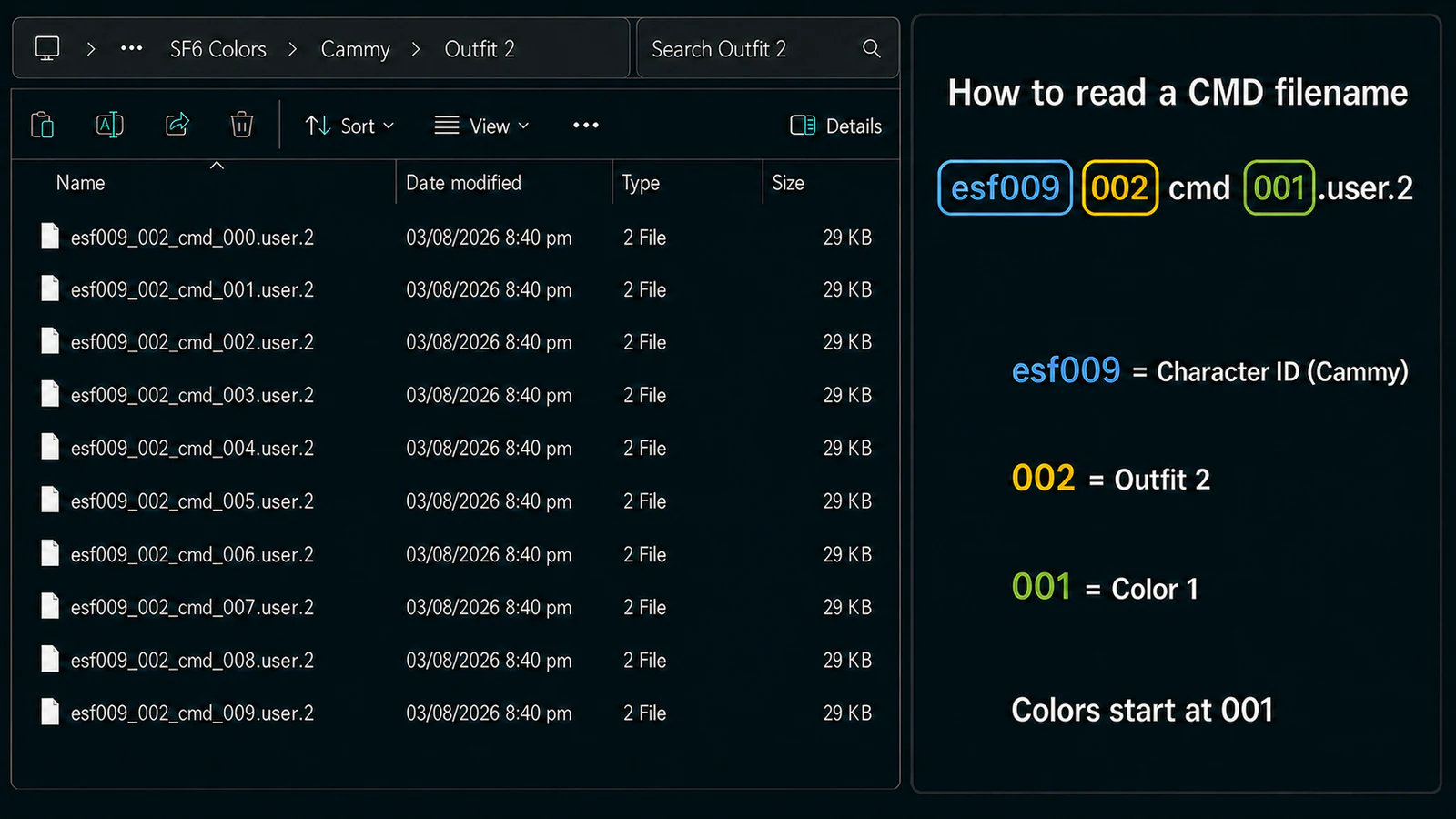
Choose the CMD file you actually want to edit
Before uploading, check the filename: it tells you the character, outfit, and color number. Upload CMD files for one character and one outfit at a time. You can upload multiple color variants together.
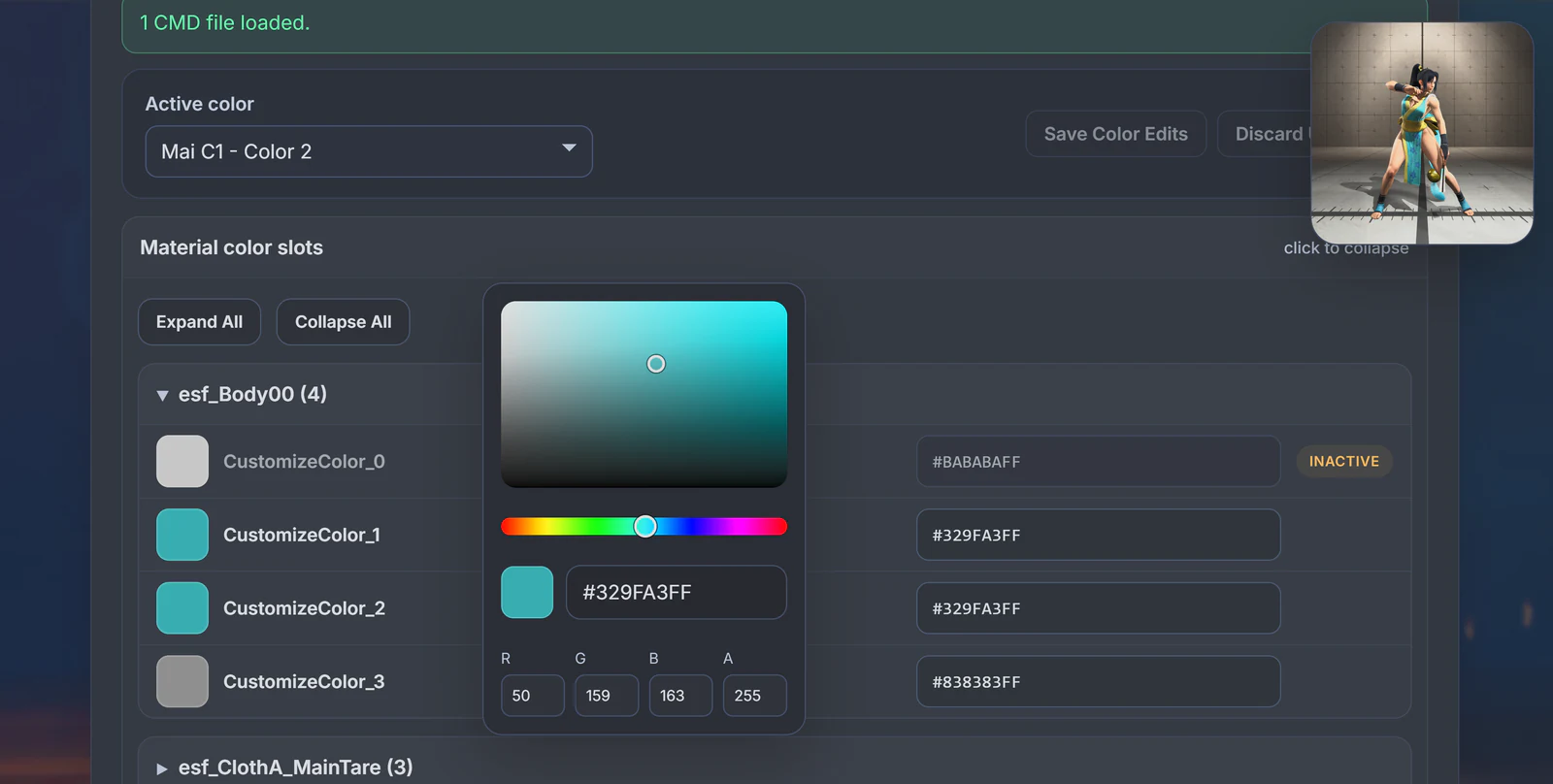
Edit and review colors directly
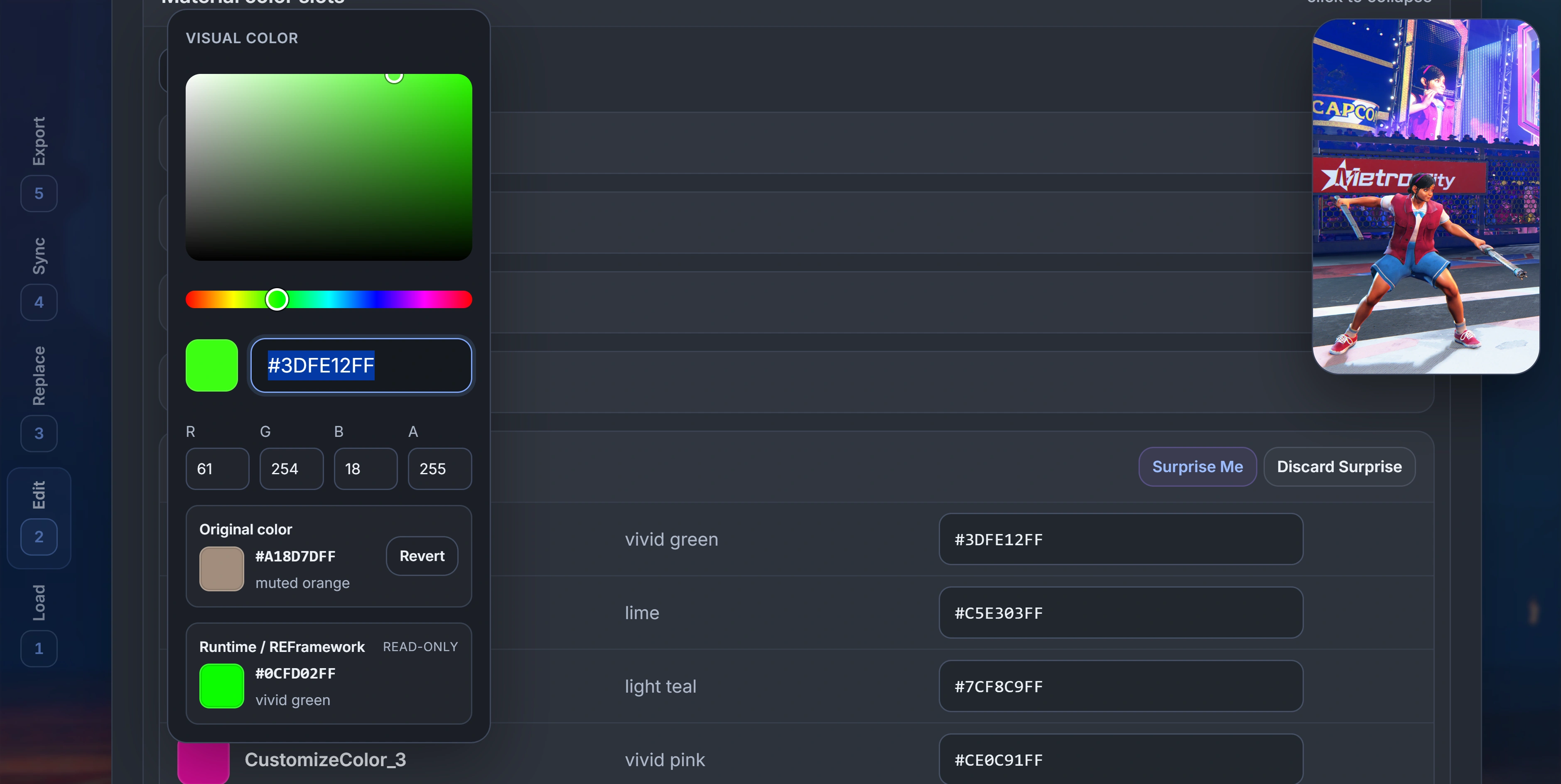
Choose an active CMD, expand a material, and edit a CustomizeColor slot. Compare its original and runtime values, use Revert or Surprise Me when needed, then save or discard your edits.
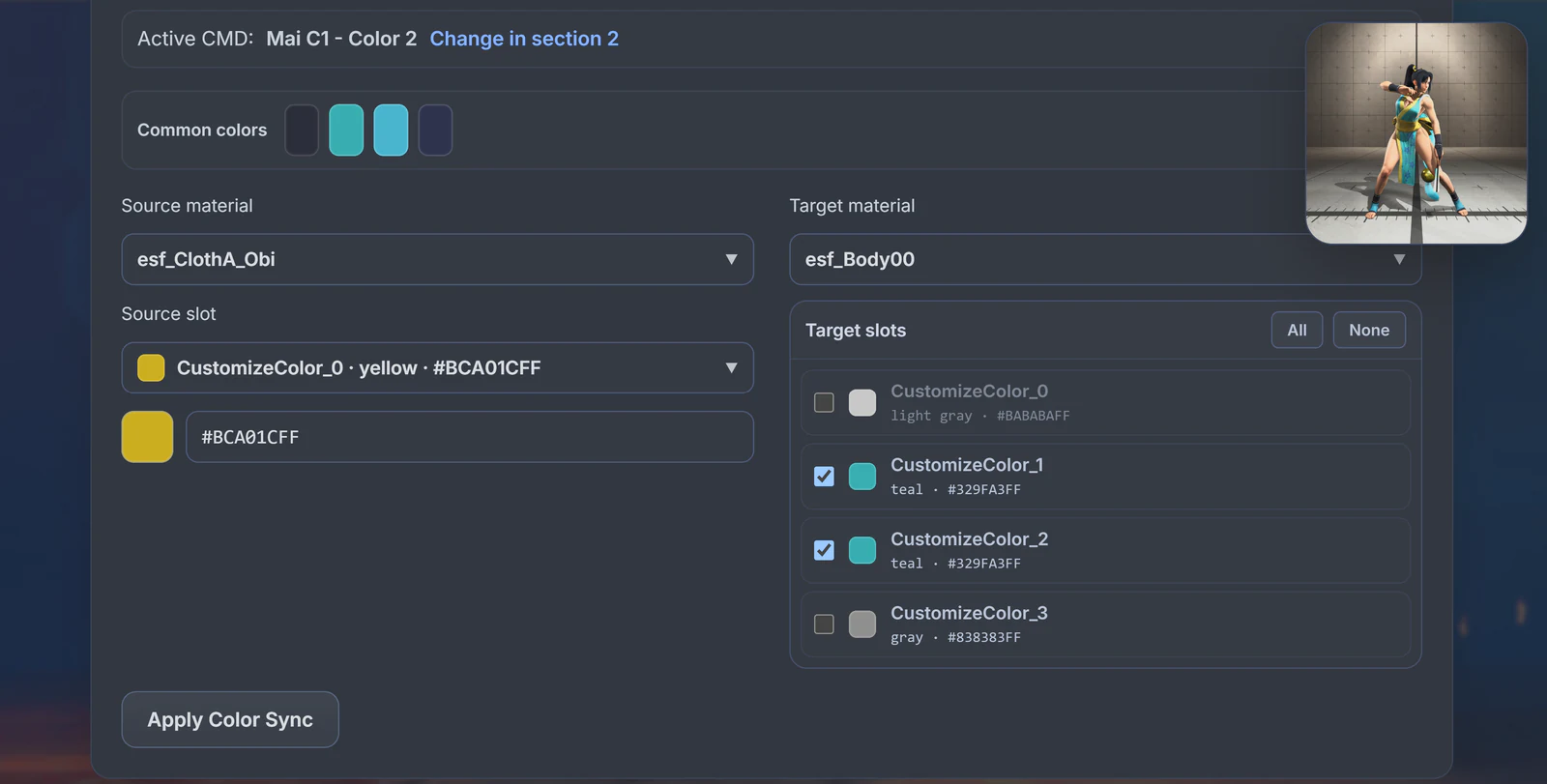
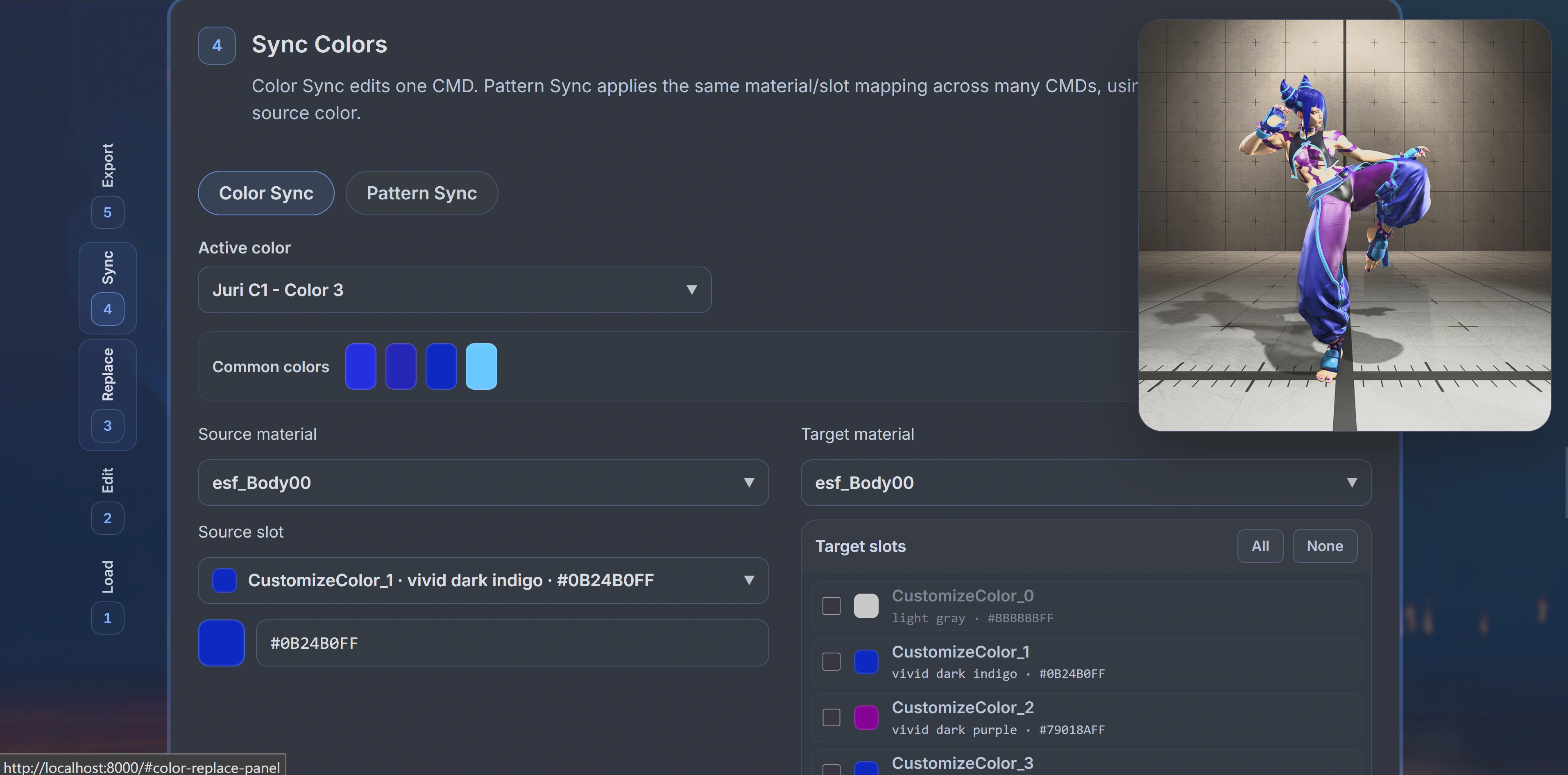
Color Sync
Use Color Sync to copy one source slot to one or more target slots in the active CMD. You can copy across materials and across CustomizeColor indexes. Every selected target receives the source slot's exact RGBA value.
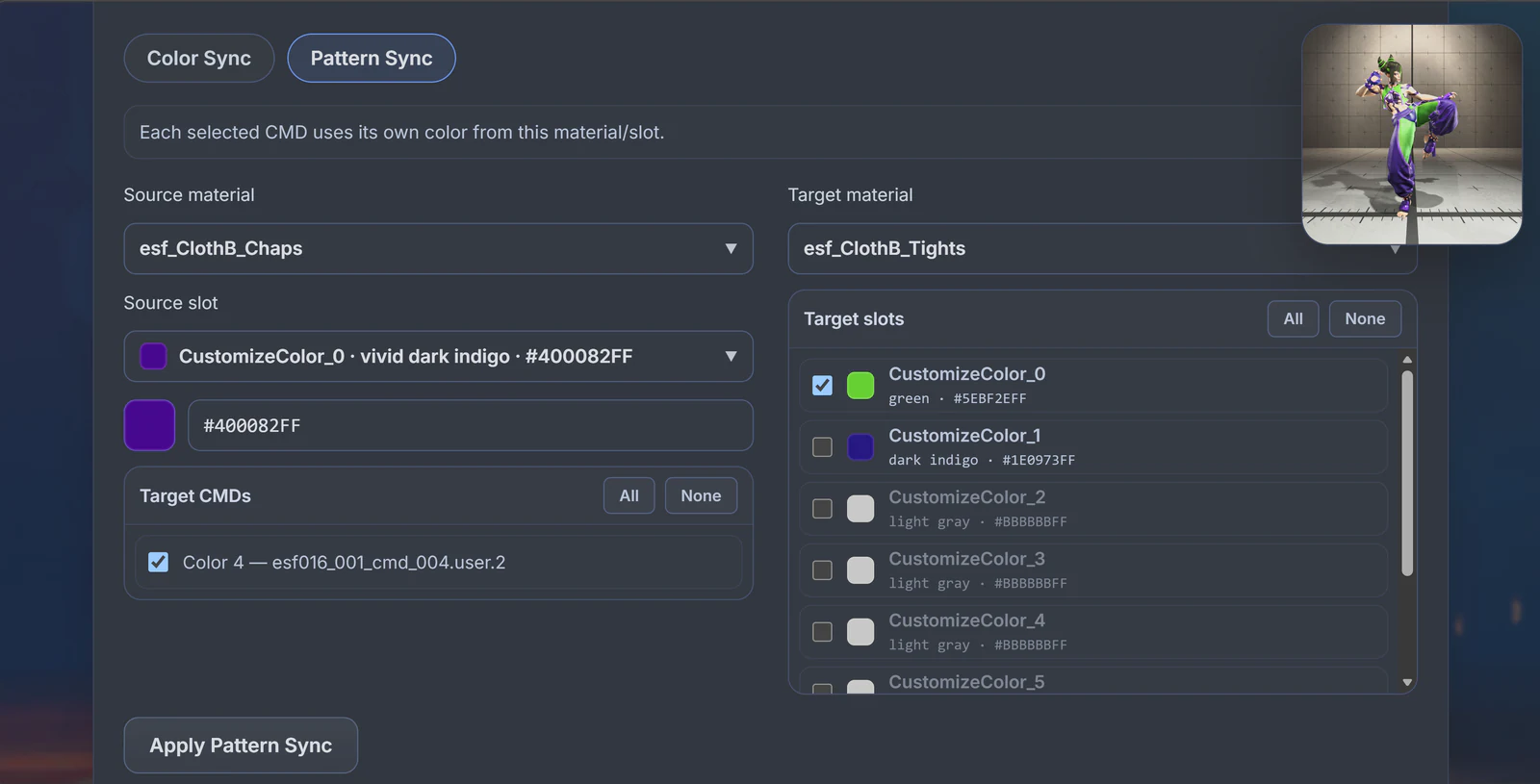
Pattern Sync
Apply one mapping to the selected Color 4 CMD.
Color 4's Chaps color is copied to its Tights slot.
Across multiple CMDs: the same mapping is repeated, but each CMD reads its own ClothB_Chaps color and applies it to the selected slots in its own target material.
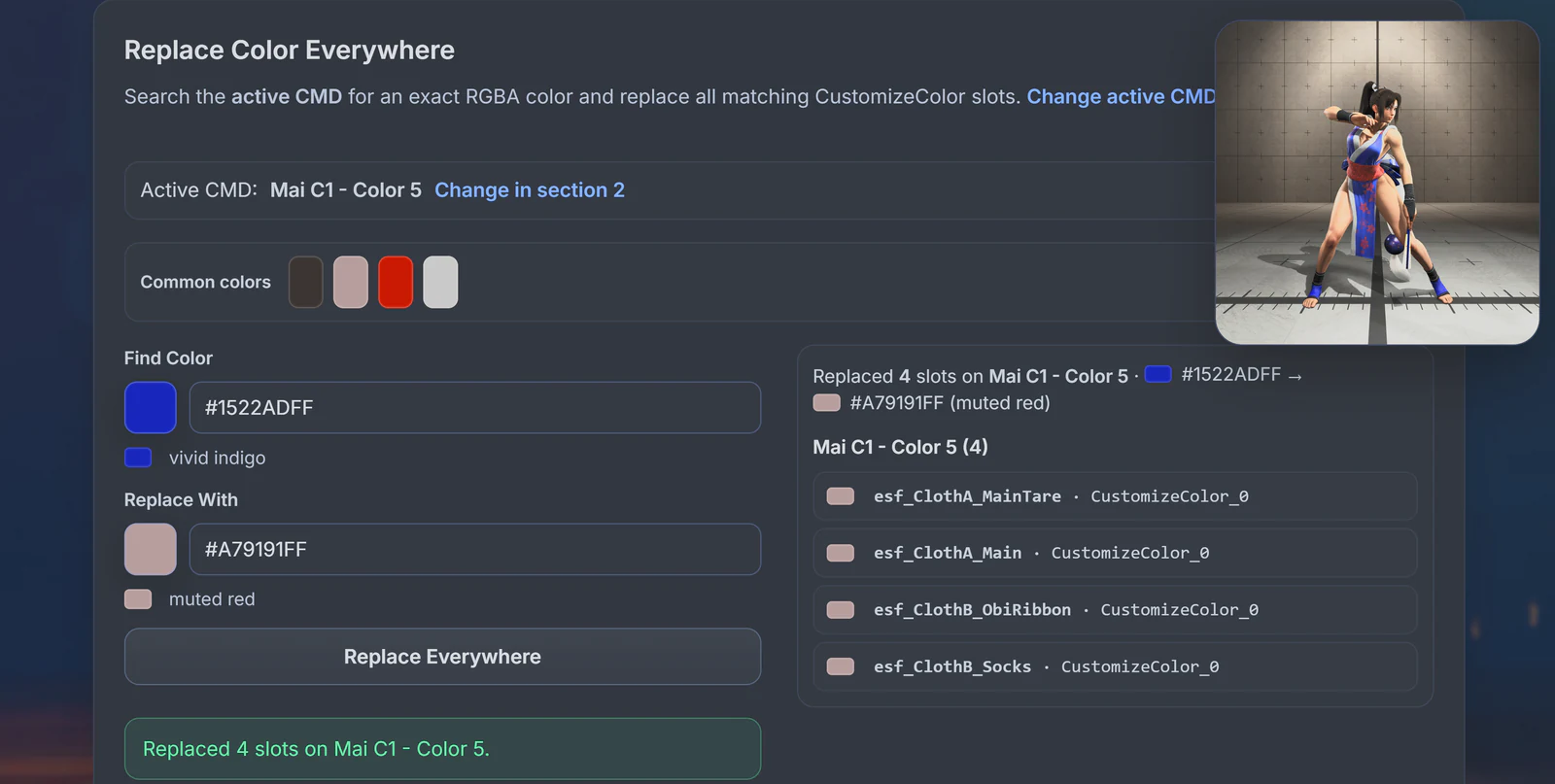
Replace Color Everywhere
Choose a Find Color and a Replace With color. The tool searches editable slots in the active CMD only, then replaces slots whose full RGBA value exactly matches the find color. Other loaded CMDs are not changed.
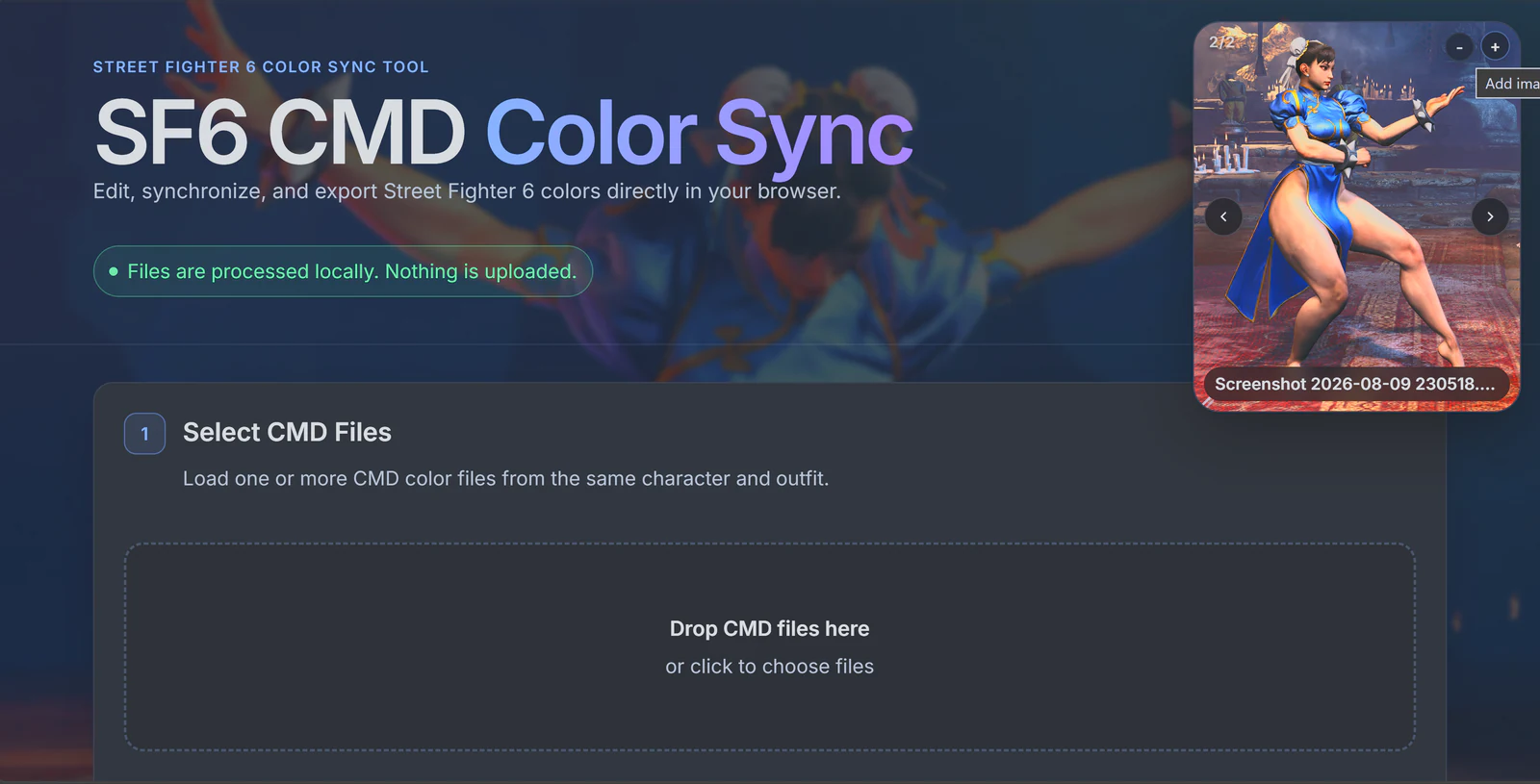
Add your own reference images
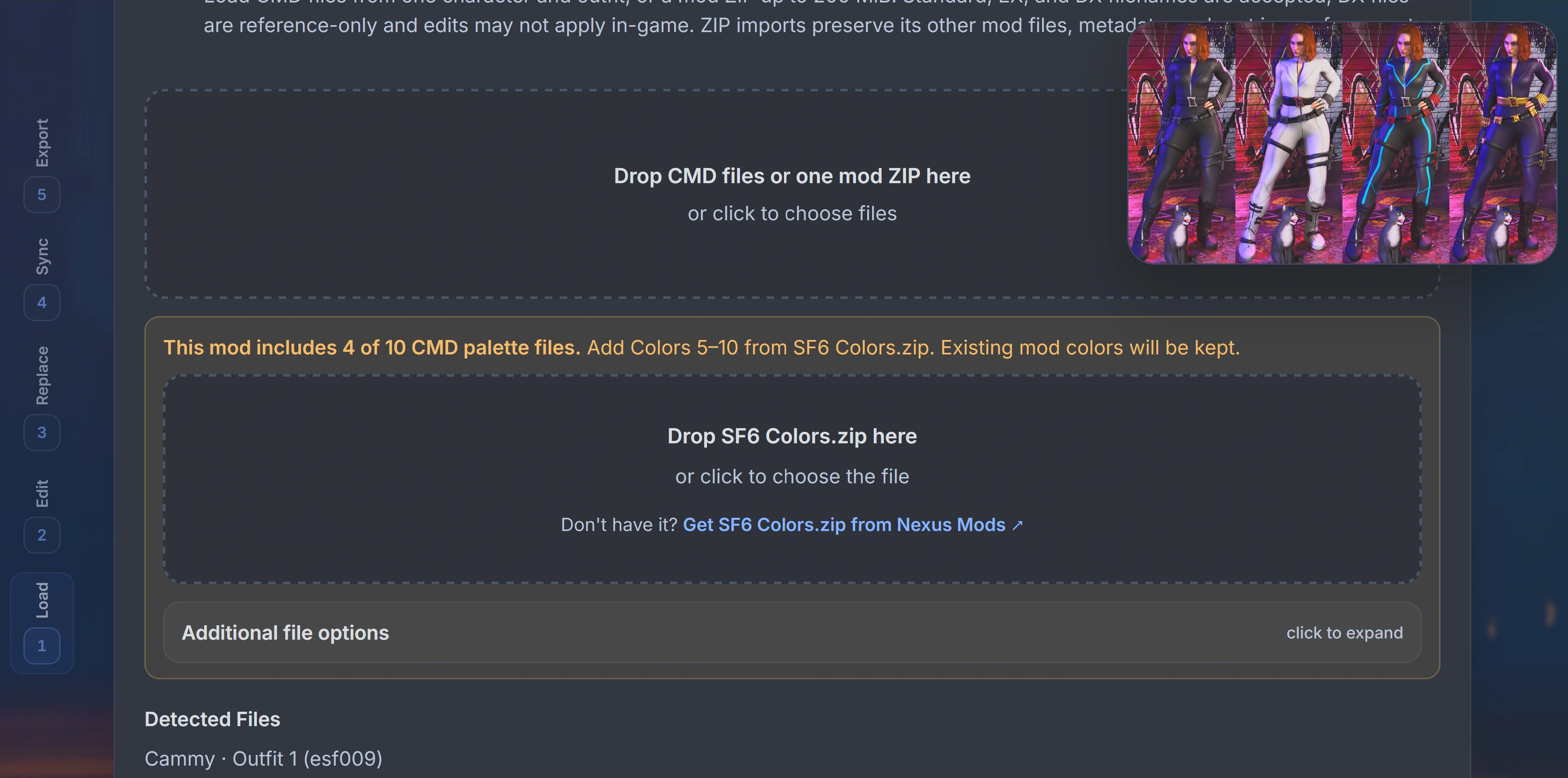
Use the + button in the reference viewer to add your own PNG, JPG, or WebP image. It is useful for a custom mod preview, a color idea, or any visual reference you want to keep beside the editor. Added images stay local to your browser session.
Jump between tool sections
Use the section rail to move directly between Load, Edit, Replace, Sync, and Export. Press the matching number key from 1–5 for the same shortcut. Sections remain unavailable until their tools are ready, and number shortcuts do not fire while you are typing or using a control.
Inactive slot handling
An inactive slot cannot be used as a Color Sync source, and Pattern Sync skips inactive sources. This avoids copying a color from a part of the palette that the CMD has turned off. When a sync writes to a target with an enable field, the target is enabled where possible.
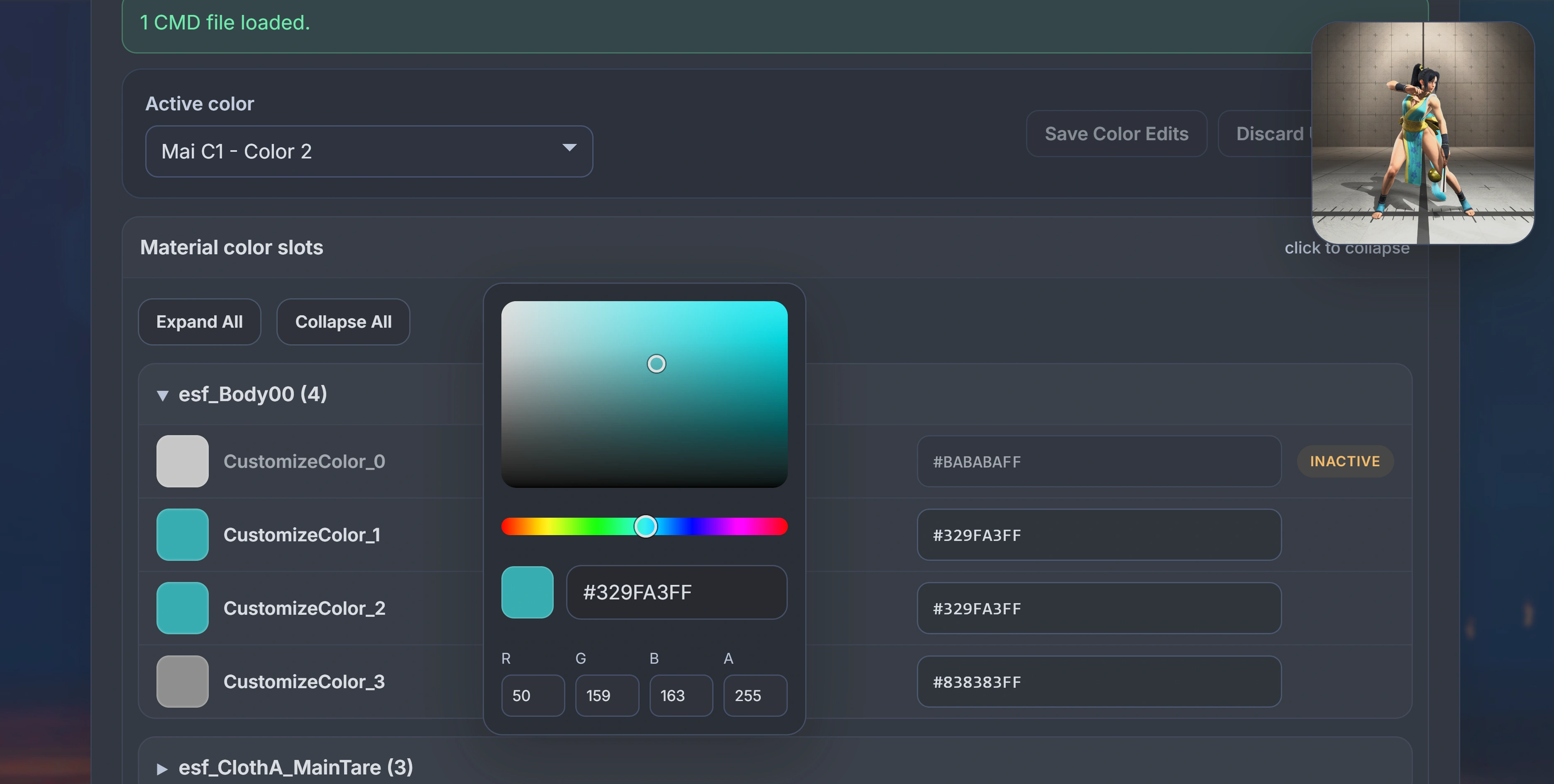
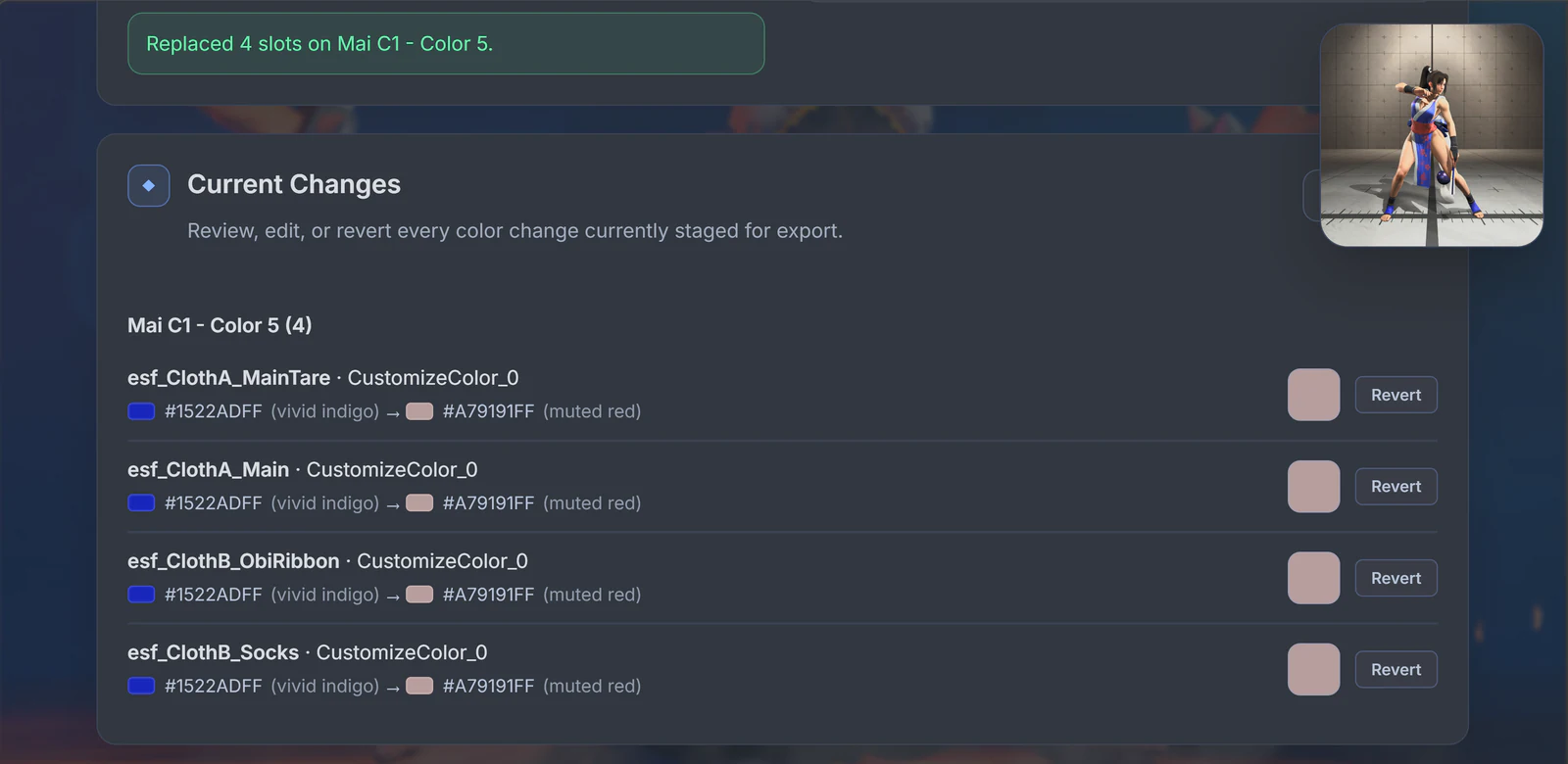
Current Changes and revert
Every direct edit, sync, and replacement is staged. Current Changes shows what will be exported so you can inspect an individual result, edit again, revert one change, or revert everything before creating files.
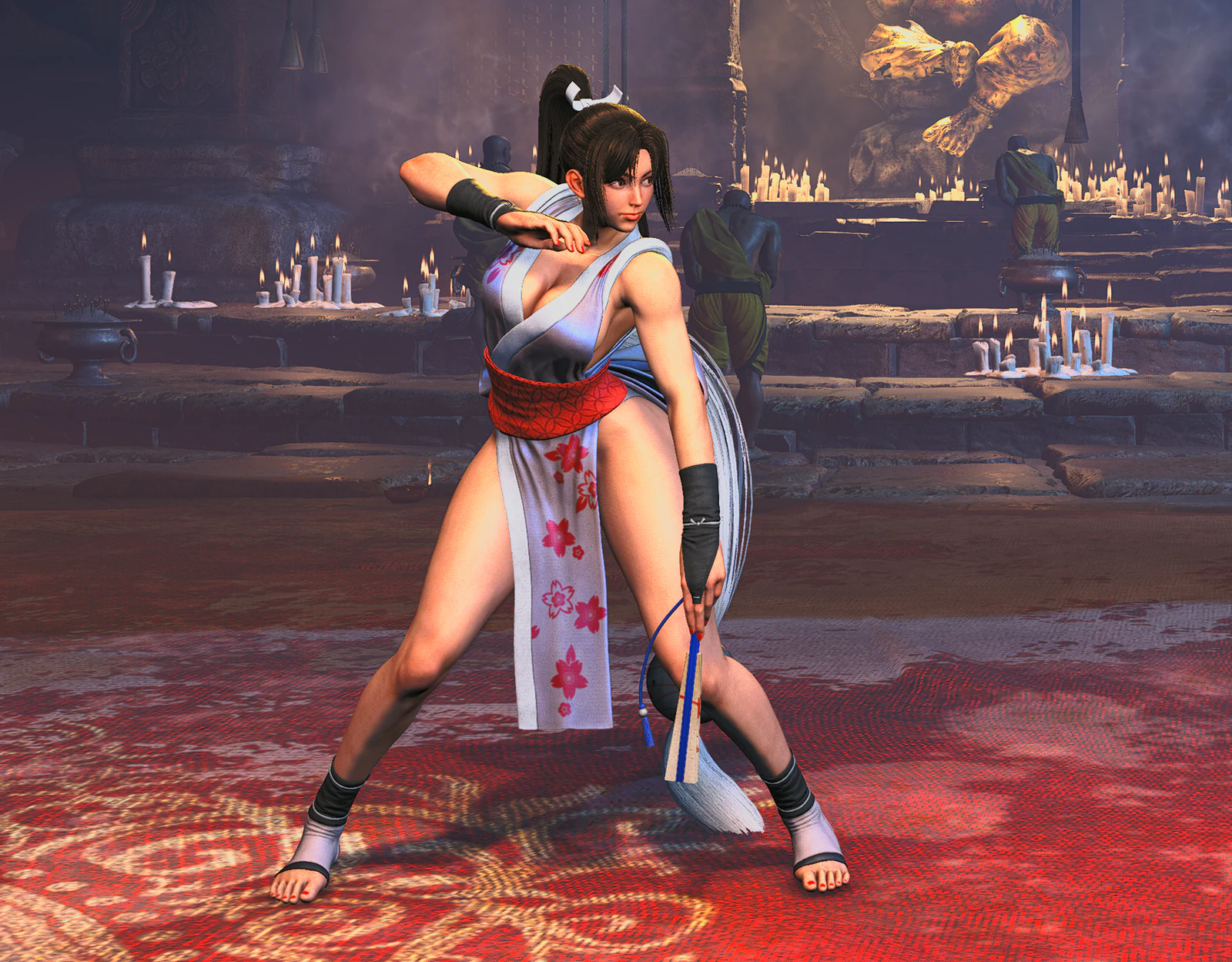
Export CMD files or a mod ZIP
Export modified CMD files directly, or build a game-ready mod ZIP with the expected game path and mod information. Additional file options can save to a chosen folder in supported Chromium browsers; otherwise exports use the browser's normal download flow.
Edit an existing mod ZIP
Drop an existing SF6 mod ZIP directly into Color Sync. The app finds its CMD palettes, reads the existing mod name, description, author, and screenshot, then preserves every other archive entry when you build the edited ZIP.
Fill missing CMD palettes
Whether a costume mod includes only some of Colors 1–10 or has no CMD files at all, Color Sync detects the character and outfit, keeps every palette supplied by the mod, and imports only the missing standard palettes from SF6 Colors.zip.
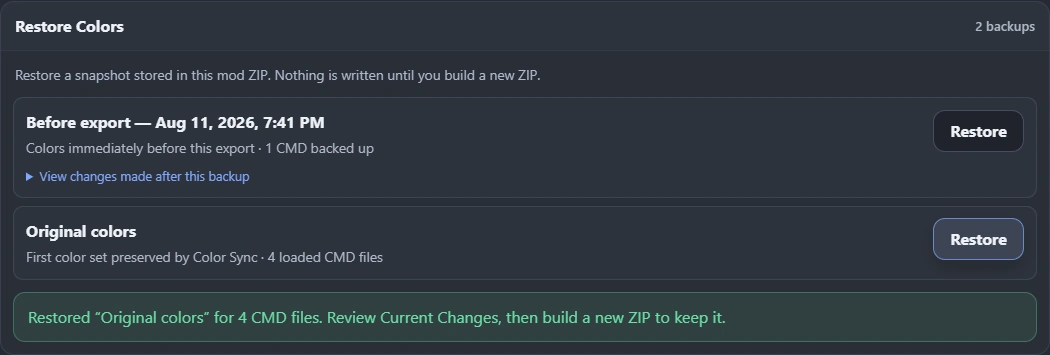
Restore previous color snapshots
When enabled, Color Sync exports carry a versioned backup history inside backup_colors. Re-import the ZIP to restore the first preserved color set or a dated pre-export snapshot. A restore remains staged, reviewable, and reversible until you build another ZIP.